

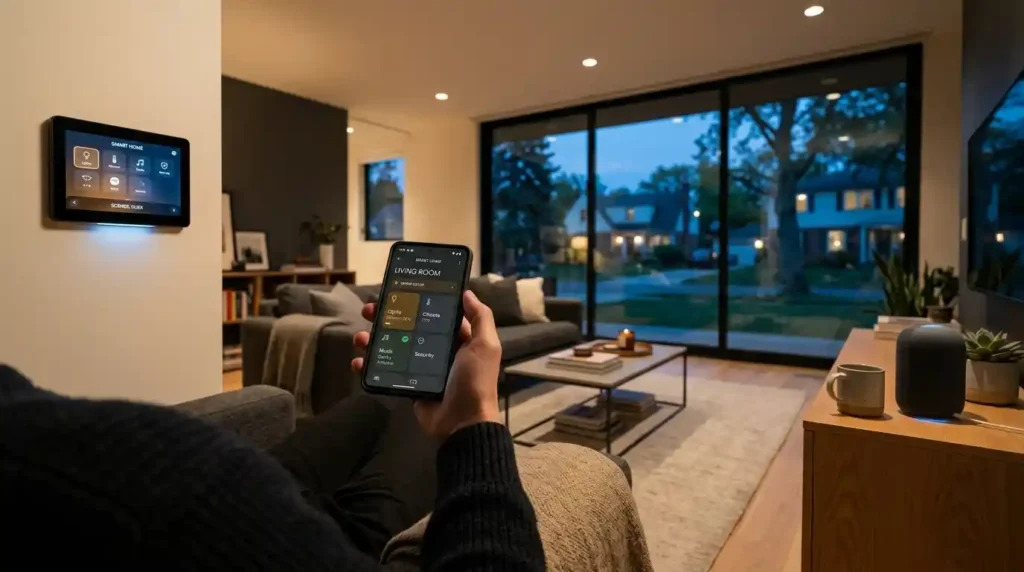
Most people start with a smart bulb. Something small, something a tutorial walks through in eight minutes. Then six months later they’ve got four different apps, two voice assistants that don’t agree with each other, a smart thermostat that refuses to talk to the lighting system, and a Wi-Fi router that buckles every time more than five devices connect at once. I’ve seen this pattern repeat itself across dozens of homes including, embarrassingly, my own first connected home setup years ago. The problem was never the devices. It was the absence of a plan before a single thing got unboxed.
That’s the angle most smart home installation guides miss entirely. They walk you through setup steps. They don’t walk you through the thinking that happens before setup begins.
The Decision That Changes Everything Downstream: Protocol First, Devices Second
Before buying anything, honestly, stop and figure out how these devices actually communicate. That layer the wireless protocol sitting underneath your entire setup is what decides compatibility, expansion potential, and whether your home feels responsive or just… annoying. Four protocols matter right now: Wi-Fi, Zigbee protocol, Z-Wave protocol, and Thread protocol. Matter protocol sits on top of all of them as the application layer that’s supposed to make everything talk regardless of brand. Wi-Fi is what most plug-and-play devices default to. Easy enough to start with, no hub needed, but it gets hungry on bandwidth fast. Fifteen devices in and you’ll feel it congestion, dropouts, the lights taking two seconds longer than they should.
Zigbee protocol runs on 2.4 GHz, forms a low-power mesh network, and handles a surprisingly wide device catalogue. Z-Wave protocol is a different animal entirely 900 MHz ISM band, away from the Wi-Fi noise, with a hard 232 device limit per network. Better wall penetration. Certified cross-compatibility. The protocol I’d personally reach for first with smart locks and light switches, not because it’s fashionable but because it just works reliably across brands without much fuss. Thread protocol is newer, built on the same 802.15.4 radio layer as Zigbee but using IPv6 addressing and it forms a self-healing mesh with no single coordinator that can take everything down if it fails.
Thread 1.4 landed in September 2024 and solved something that had been quietly driving integrators mad for years: border routers from different manufacturers — a HomePod Mini and a Google Nest WiFi Pro, say can now share credentials and join one unified Thread mesh rather than creating competing networks. That matters more than most buyers realise when they’re standing in a store choosing between ecosystems. Matter 1.5 then pushed further, adding native security camera support through WebRTC streaming pan-tilt-zoom, two-factor authentication, privacy zones all within the standard cross-platform framework.
The practical upshot for anyone starting a smart home installation today: choose Matter compatible devices wherever possible. A Matter compatible device works simultaneously with Apple HomeKit, Google Home, Amazon Alexa, and Samsung SmartThings with local control and no cloud dependency. That device interoperability is what breaks ecosystem lock-in and ecosystem lock-in is the most expensive mistake a homeowner can make.
Hub or No Hub: The Central Nervous System of Your Connected Home
The central hub is the brain of a connected home setup. Not every smart home needs one a handful of Wi-Fi devices managed through a single voice assistant platform technically works but once a home crosses ten devices or mixes brands, a multi-protocol hub becomes the thing that keeps it from turning into an unmanageable stack of apps.
Home Assistant is the most capable option for people comfortable with a modest learning curve. It runs locally, supports Zigbee protocol, Z-Wave protocol, Thread protocol, Matter protocol, and hundreds of native integrations, and keeps your data at home rather than routing it through third-party cloud servers. Hubitat sits in a similar space with a gentler setup process. Samsung SmartThings is the most accessible entry point for multi-protocol hub use without requiring technical configuration. Control4 is the professional-grade platform home automation integrators deploy in whole home automation projects.
Amazon Alexa and Google Home function well as voice assistant layers and starting points for basic voice-driven smart home control, but they’re not substitutes for a proper hub in a system with real device diversity. Both platforms require cloud-based services for automation to function, which creates a dependency that a local hub sidesteps entirely.
A Thread border router is a related but separate requirement if you’re building around Thread devices. Apple TV 4K, HomePod Mini, and Google Nest WiFi Pro all serve as Thread border routers. Drop a Cat6 cable to wherever your border router lives it makes the mesh more stable than a wireless uplink and is worth doing during any renovation or pre-wiring phase.
Smart Home Installation Cost: The Honest Numbers, Not the Marketing Range
Right, costs. The range people quote online looks absurd until you understand what’s actually driving it. A DIY smart home starter kit smart bulbs, a smart plug, a smart thermostat if you’re feeling ambitious lands somewhere between $500 and $1,500 and realistically takes a weekend afternoon, maybe two. A mid-range professionally installed system, the kind that covers lighting, climate control, a video doorbell, and basic security sensors across a standard three-bedroom US home, runs $4,000 to $6,000. Go deeper HVAC integration, multi-room audio, full access control, smart security camera networks and a comprehensive automation system sits at $3,000 to $8,500 installed, sometimes more depending on how the existing wiring cooperates.
Premium security-integrated systems with AES-128 encryption, proper network design, and deliberate optimal device placement can push $5,000 to $15,000 without blinking. Professional installation costs more upfront than DIY, obviously. What it buys you is a system that doesn’t quietly fall apart three weeks in because nobody accounted for the router’s device limit.
Labor rates for home automation specialists and electricians run $50 to $150 per hour, or flat fees for larger jobs. A site visit and system design consultation typically costs $75 to $300. In large cities and for complex custom installations, those figures sit at the higher end. Retrofitting older homes generally requires more time than new construction wiring requirements, electrical upgrade needs, and existing network infrastructure all affect the final invoice.
The figure most people forget to budget for: subscription fees. Smart security cameras, professional monitoring, cloud storage, and some smart home controller platforms carry monthly costs that add up across a year. Factor those into total cost of ownership before committing to any platform.
DIY Smart Home vs. Professional Installation: Where the Line Actually Sits
Plug-and-play smart home devices smart bulbs, smart plugs, a standalone smart thermostat are genuinely fine as DIY territory. The installation is simple, risk is low, and if you follow manufacturer instructions carefully you’ll be done before lunch. Where DIY smart home projects fall apart, consistently, is at the network level. Not because homeowners aren’t capable, but because proper network design is invisible until it fails and when it fails it looks like a device problem, not an infrastructure problem. That mismatch sends people down the wrong troubleshooting path for weeks.
Proper network design VLAN segmentation for IoT devices, channel and interference management, mesh coverage planning that eliminates Wi-Fi dead zones, secure configuration against default passwords and unsecured network vulnerabilities is the part that determines whether a smart home feels reliable or constantly frustrating. I’ve seen expensive device setups become completely ineffective because the home network couldn’t support the device count, and the homeowner had no idea the two things were connected.
Low voltage wiring, hardwired protocols, smart panel installation, and any work touching the home’s electrical system belongs with a licensed professional. Non-negotiable in the US, UK, Europe, and Australia both for safety and for code compliance that matters at property sale. A professionally installed system removes that particular headache. Devices work together as intended, voided warranties from incorrect installation become someone else’s problem, and you get unified control one app, one voice assistant interface, not the six-app situation that makes guests visibly confused.
The hybrid approach is what I’d recommend to most people honestly: DIY the plug-and-play layer yourself, bring in a home automation integrator specifically for network design, hub setup, and anything touching actual wiring.
What a Future-Proof Smart Home Installation Actually Looks Like
Future-proof smart home design is less about buying the most expensive hardware today and more about avoiding the decisions that force expensive replacements in three years. Closed ecosystems are the main culprit platforms that become obsolete, devices that can’t integrate with newer technology, proprietary systems where every upgrade requires staying with the same manufacturer.
The architecture that holds up: a multi-protocol hub as the central controller, Matter compatible devices at every point where the standard is available, Thread infrastructure handled by a wired border router, and a mesh network designed with enough bandwidth and coverage for the device count you’re likely to reach not just the one you’re starting with. Smart home energy savings from smart thermostat scheduling, smart lighting automation, and energy monitoring across smart plugs genuinely offset installation cost over time.
A professionally installed smart home carries real weight at resale too in 2025, the average smart home in the US sold for close to double the price of a comparable non-smart property. That figure surprised even me when I first saw it. Start with a plan. Audit the network first. Match the protocol to the device type. Pick a platform and commit to it long enough to actually learn its automation routines before expanding. The homes that work beautifully aren’t the ones with the most devices they’re the ones where somebody thought carefully about the invisible infrastructure before the first smart bulb went in.
Conclusion
Smart home installation is not a project you finish it’s a system you build in layers, and the layers that matter most are the ones nobody sees. The protocol running the mesh. The hub coordinating the devices. . The network that lies at the bottom of everything, working silently behind the scenes to decide how everything is easy or a continuous headache. Set things up correctly, and the rest, including the smart bulbs, thermostat, locks, cameras, will slot into place without any problems. Breeze past all of this in your rush for the exciting bits, and six months down the road, you’ll spend your time solving the same old connection problems between the $300 gadget and the $200 one. A poorly planned one just adds new ways for things to go wrong. The difference, almost every time, comes down to what happened before the first device came out of the box.
Frequently Asked Questions (FAQ’s)
Start with your network, communication protocols, and preferred control platform before buying individual devices. Planning for Wi-Fi capacity, Matter compatibility, Thread, Zigbee, or Z-Wave early can prevent connection problems and unnecessary ecosystem lock-in later.
DIY works well for simple devices such as smart bulbs, plugs, and standalone thermostats. Professional installation makes more sense when the project involves electrical wiring, network design, security systems, multiple protocols, or whole-home automation.
A basic DIY setup may cost around $500 to $1,500, while professionally installed systems can run from several thousand dollars to $15,000 or more depending on complexity. Wiring, network upgrades, labour, security equipment, and ongoing subscription fees can all affect the final cost.
Not always, especially for a small setup with only a few connected devices. A multi-protocol hub becomes much more useful as the system grows because it can bring different brands, protocols, and automation routines together under more consistent control.
There is no single best protocol for every device. Wi-Fi is convenient for simple products, Zigbee and Thread work efficiently with mesh networks, while Z-Wave is often useful where dependable range, low interference, and broad device compatibility matter.

9 thoughts on “Smart Home Installation: What Nobody Tells You Before You Buy a Single Device”